




Spinmacho App
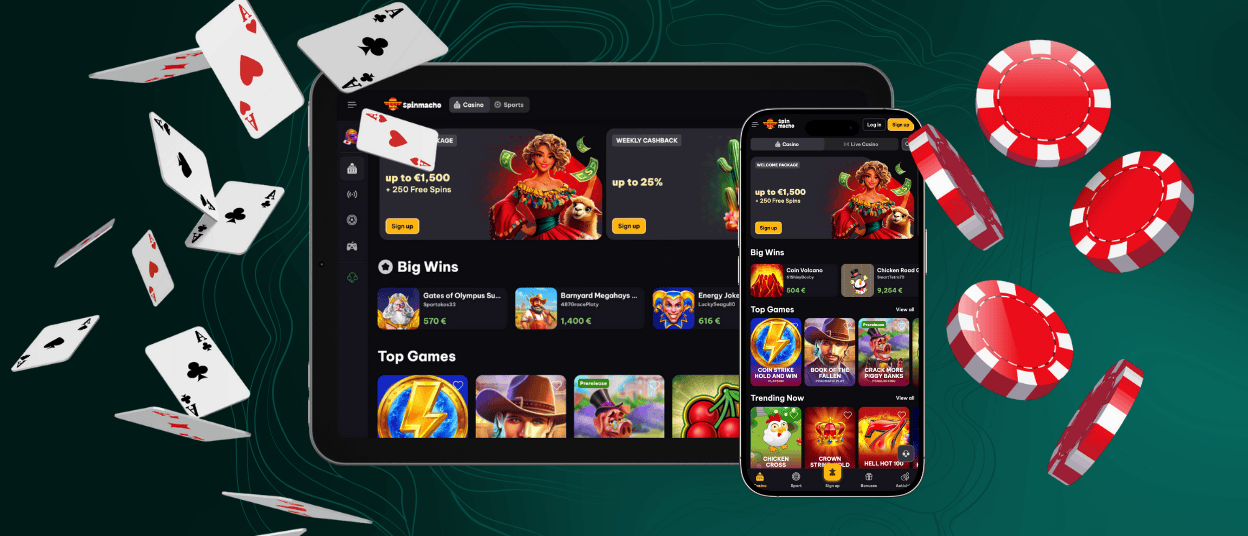
Spinmacho app is the mobile version of Spin Macho casino that runs in your browser on Android and iOS. It gives access to your usual account in a layout made for touch screens.
The app works as a progressive web app (PWA), so you open it through Chrome, Safari or another modern browser without a separate download. The mobile interface keeps the structure of the desktop lobby: banners, Big Wins, Top Games and Trending Now are shown in the same order, and quick access to Casino/Sports, bonuses, account and payments remains in familiar places, just reworked for smaller touch screens. Balance, Spinmacho login data, favourites and active bonuses remain synced across devices, and encrypted HTTPS connections keep logins and payments protected while you play on mobile.



Key Features of the Spin Macho App
Spinmacho app lets you manage your casino account on mobile and use the same tools as on the main site. You can open games, handle payments and follow active bonuses without waiting to reach a computer.
The mobile lobby focuses on quick actions: a few taps are enough to continue a recent slot, join a live table, enter a tournament or check a Spin Macho casino bonus. The cashier and support chat stay available from every main screen, so you can deposit, request a withdrawal or contact the team during a session without closing the game area.
| Feature | Details |
| Game library | Access to Spin Macho slots, live casino, crash games and sports from the same lobby as desktop. |
| Platforms | Works in mobile browsers on Android and iOS and can be saved as a PWA shortcut on the home screen. |
| Interface | Touch-optimised layout with clear menus, large game tiles and simple navigation in portrait mode. |
| Payments | Use the standard cashier to deposit and withdraw with Visa, Mastercard, Skrill, Neteller, bank transfer and supported cryptocurrencies. |
| Account sync | Shared Spinmacho login, balance, bonuses and loyalty progress across desktop and mobile. |
| Performance | Lightweight pages designed for quick loading and stable play on common mobile connections. |
| Security | Encrypted HTTPS connection, 2FA support and the same protection rules as the main Spinmacho casino website. |
| Support | Direct access to live chat and the Help Center from the app interface when assistance is needed. |
Spinmacho App for iOS
On iPhone and iPad, Spin Macho works as a mobile web app in Safari without any App Store download. The site switches to an iOS-friendly layout with large game tiles, clear buttons and quick access to sections like Casino, Live Casino, Sports, cashier and limits. All activity goes through an encrypted HTTPS connection, so payments and personal data stay protected while you play on mobile.
To keep Spinmacho at hand, you can create a shortcut on the home screen. Open the official website in Safari, tap the Share icon and choose “Add to Home Screen”, then confirm the name. After that, Spin Macho opens from the icon in a focused, app-style window, letting you reach games, payments and account tools with a single tap.
Mobile Application for Android
Spinmacho app on Android works as a progressive web app in Chrome. You open the casino in your browser and then keep it as a shortcut on your home screen.
How to set up Spinmacho on Android:
- Open Chrome and visit the official Spinmacho website.
- Tap the three-dot menu in the top-right corner.
- Select “Add to Home screen” and confirm the name.
- Use the Spin Macho icon to open the casino in an app-style window.
The Spinmacho PWA gives full access to slots, live casino, crash games and the cashier in a mobile-optimised interface. The PWA replaces the need for any separate file like a Spinmacho APK, because it already runs in your browser with automatic updates and encrypted HTTPS connections for all logins and payments.
Recommended security practices
We recommend installing access only through the official website and not using third-party app files or modified browsers. Keep your Android system and Chrome updated, set a screen lock, and avoid saving passwords on shared devices. When you play from a public or borrowed phone, log out after the session and remove the shortcut once you finish.
Spinmacho on Windows and macOS
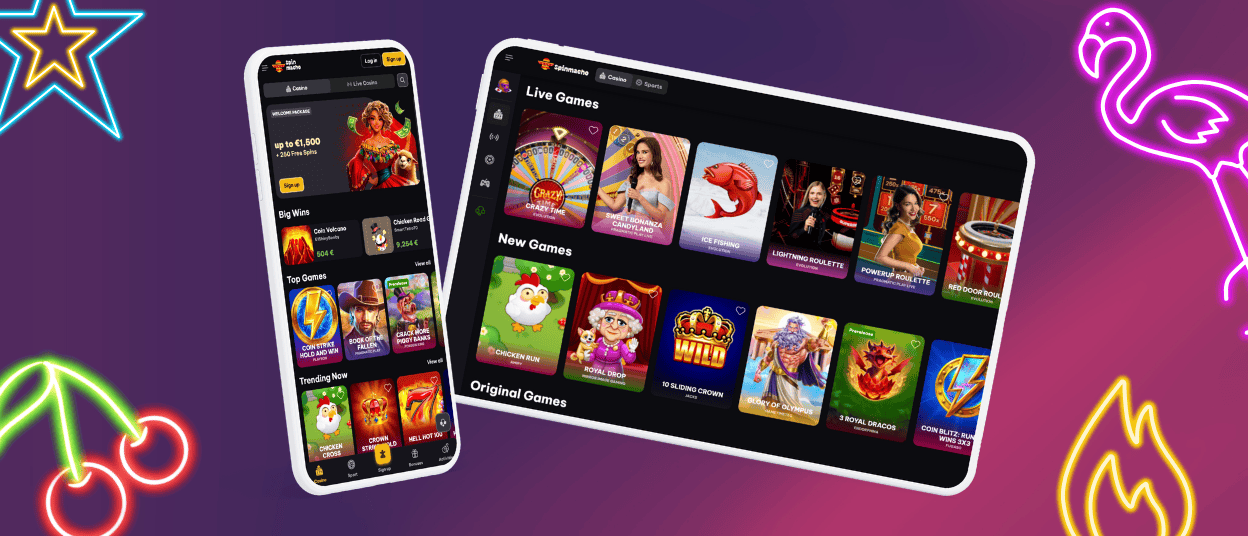
Spinmacho runs on Windows and macOS directly in your browser. You open the official website and get a desktop layout adapted to larger screens.
The interface stays clear on laptops and monitors, so it is easier to browse slots, follow live casino tables, manage payments and upload documents for verification. In Chrome, Edge, Firefox or Safari you can create a desktop shortcut or use the Install app option. This places a shortcut icon on your desktop or taskbar, so the casino opens in a separate window with one click.
Frequently Asked Questions (FAQs)
Which browsers are officially recommended for running Spinmacho on mobile and desktop?
Spinmacho runs in any modern browser, so you can open the site and play from whichever option you usually use. For the best performance, we optimise the platform for the latest versions of Google Chrome, Safari, Mozilla Firefox and Microsoft Edge. These browsers support our PWA functions, encrypted connections and modern game technologies, which helps the lobby, live casino and cashier work correctly. Other Chromium-based browsers may also handle Spinmacho well, but for the most stable experience and full feature support we recommend one of these four options.
Can I enable biometric login such as Face ID or fingerprint when using Spinmacho on mobile?
Biometric login works through your mobile browser’s built-in tools. When you save your Spinmacho login details in the secure password manager of Chrome, Safari or another supported browser, the system can ask for Face ID, Touch ID or a fingerprint before filling in your email and password.
This method speeds up access while keeping your credentials protected in the browser rather than in the PWA shortcut. If biometrics are not available or disabled on your device, you can always log in with your usual email and password.
How can I clear cache or refresh the Spinmacho PWA if the interface displays incorrectly?
If the app looks outdated or elements do not load, first refresh the page and then close and reopen the browser. This often forces the PWA to fetch the newest version of scripts, game lists and images from our servers.
If the issue continues, you can clear site data in your browser settings or remove the home-screen shortcut and add it again from the official website. These steps do not affect your account, balance or history, but they reload the local copy of the app.
Can I try games in demo mode inside the app without logging in?
Most slots and instant games support demo mode in the mobile browser and PWA, so you can test features without using real money. Availability may depend on your region and on the provider; live casino titles usually do not offer demo play and require an active account.
Is there any difference between opening Spinmacho from a browser URL and from the PWA shortcut?
Both options connect to the same Spinmacho platform, with identical games, payments and security rules. Opening the site from the address bar uses a normal browser tab, while the PWA shortcut launches the casino in a more focused, app-style window with fewer visible browser elements. Cached resources in the PWA can also make key screens load faster after the first visit.
For everyday use we suggest creating the shortcut on mobile or desktop if you play often, as this gives one-tap access without searching for the site each time.


